
Handsy AI · ESP32 iPhone Agent
An AI that uses your iPhone. With its own hands.
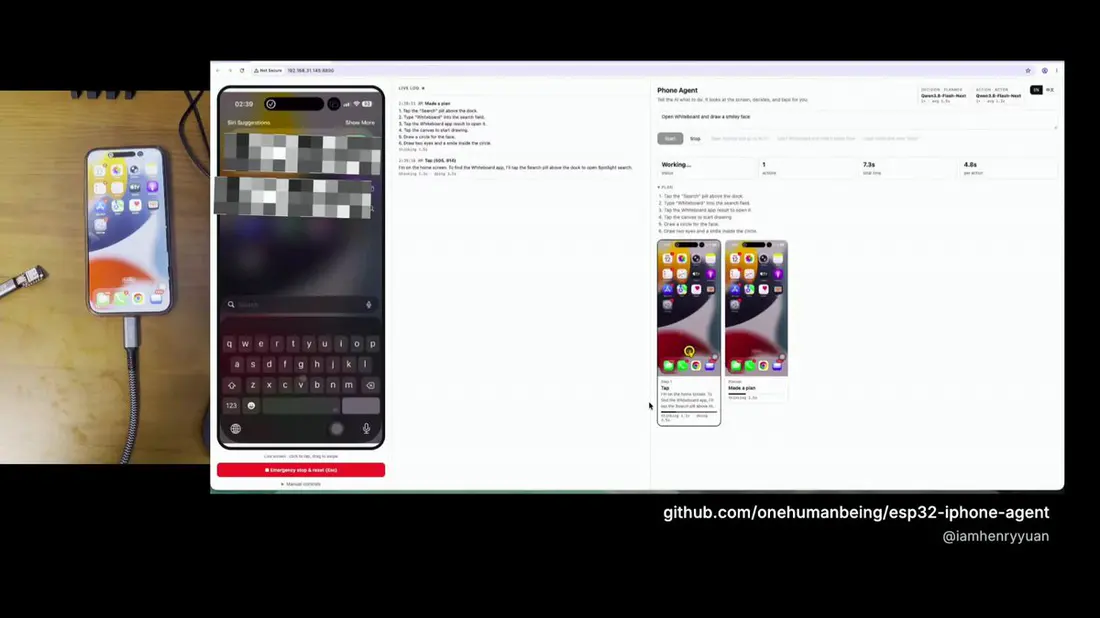
ESP32 iPhone Agent plugs a $7 ESP32 board into your phone. It sees the screen and taps through USB. Give the iPhone app a goal, or connect your computer’s agent with Handsy CLI. No jailbreak.
Don’t have a board yet? What to buy → Or join the Handsy device waitlist →
Hi, I'm the agent. Poke me.
Try a task
Simulated demo. The real run happens on your own iPhone.
How it works
One board. Two ways to give it a brain.
The board is the eyes and hands. Use the app on your iPhone, or your agent on a computer. How ESP32 iPhone Agent works Install the AI iPhone agent firmware Read the app setup guide
It sees your screen
The board opens its own Wi-Fi and shows up in Screen Mirroring. It passes the picture to the app over that Wi-Fi, and to the CLI over Bluetooth.
It taps like you do
Plugged into USB-C, the board is a plain mouse and keyboard. With AssistiveTouch on, a click is a tap and a drag is a swipe.
Your app or your agent
Let the iPhone app plan the next step, or connect your computer’s agent through the CLI to see screenshots and act on the phone.
Get started
Your iPhone. Two ways in.
Use Handsy on your phone, or put your computer’s agent in control of the same board.
A goal, and a pair of hands.
The app walks you through connecting the board, seeing the screen, and starting your first task.
- Prepare the board once in your browser.
- Follow the four setup steps on your iPhone.
- Give Handsy a goal. Watch it work, or step in.
Give your agent an iPhone.
Handsy CLI connects your computer to the board over Bluetooth. Your agent can see screenshots, tap, swipe, and type on your real phone.
CLI setup
Needs board firmware v0.2.2 (TestFlight channel). Your agent finds and pairs the board over Bluetooth. Join the board hotspot in iPhone Settings and turn on Screen Mirroring and AssistiveTouch. Phone connection steps
1. Install the CLI
curl -fsSL https://handsy.tech/install.sh | shirm https://handsy.tech/install.ps1 | iex2. Hand setup to your agent
Copy this request into an agent with local terminal access. It will install the CLI if needed, discover and pair your board, and verify a screenshot.
Connect an agent yourself
After installing the CLI, choose your client to see its MCP command.
claude mcp add esp32agent -- esp32agent mcpcodex mcp add esp32agent -- esp32agent mcpFor another MCP client, follow the generic stdio setup in the CLI guide. For an agent with terminal access, the same guide explains how to use the CLI directly.
What you need
Less than a lunch.
Board
XIAO ESP32S3, about $7
Choose the standard version with 8 MB flash and 8 MB PSRAM, not Sense or Plus, for the browser installer. Attach the included Wi-Fi/Bluetooth antenna.
Buy on Amazon* ↗Phone
Any iPhone on iOS 18
iPhone XS or newer, with cellular data: the board’s hotspot takes the Wi-Fi. The phone powers the board. Use the phone app or connect a computer agent through the CLI.
Cable
A short USB-C data cable
USB-C to USB-C, about 30 cm (1 ft). It must carry data, not only charge; the same cable installs the firmware from your computer. Lightning iPhones use a Lightning to USB Camera Adapter.
No pointer on the iPhone, or the installer can’t see the board? Try another known-good data cable first.
Buy on Amazon* ↗* Affiliate link. As an Amazon Associate I earn from qualifying purchases.
On X and in the press
Who’s talking about it.
 Henry@iamhenryyuan
An AI that uses your iPhone shouldn’t burn the most expensive model on every step. The demo is a full Duolingo lesson. Nearly 400 people already use ESP32 Agent through TestFlight. TestFlight 1.0.3 runs on Jev + Qwen 3.8 Flash: a better experience at a much lower model cost.
Show more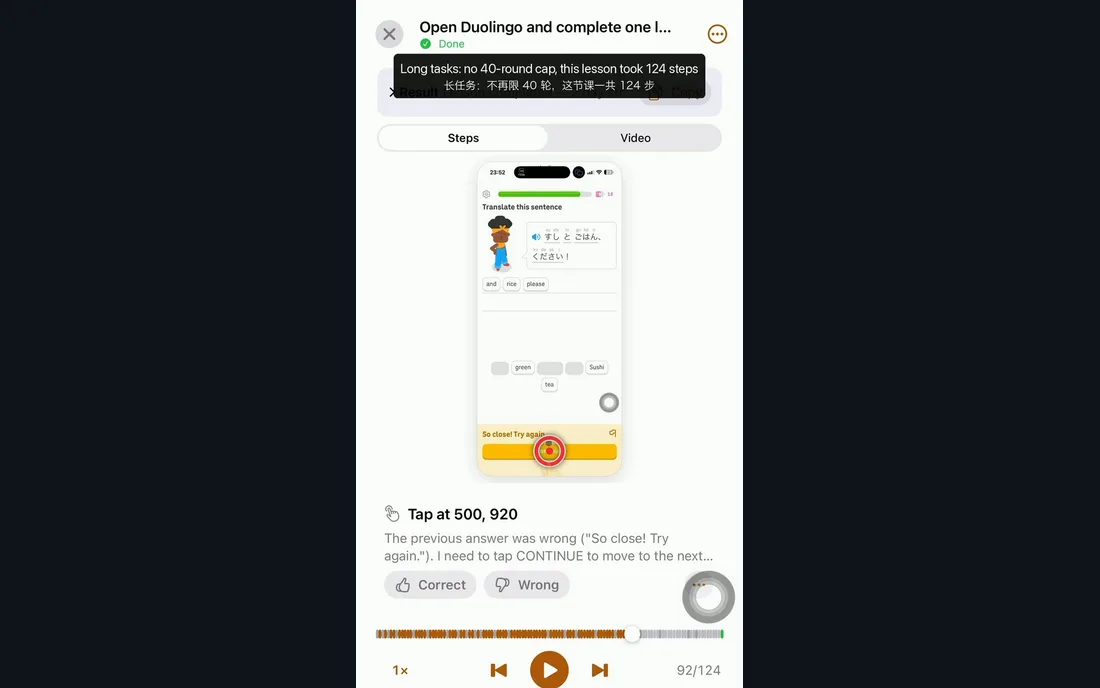 Henry@iamhenryyuan
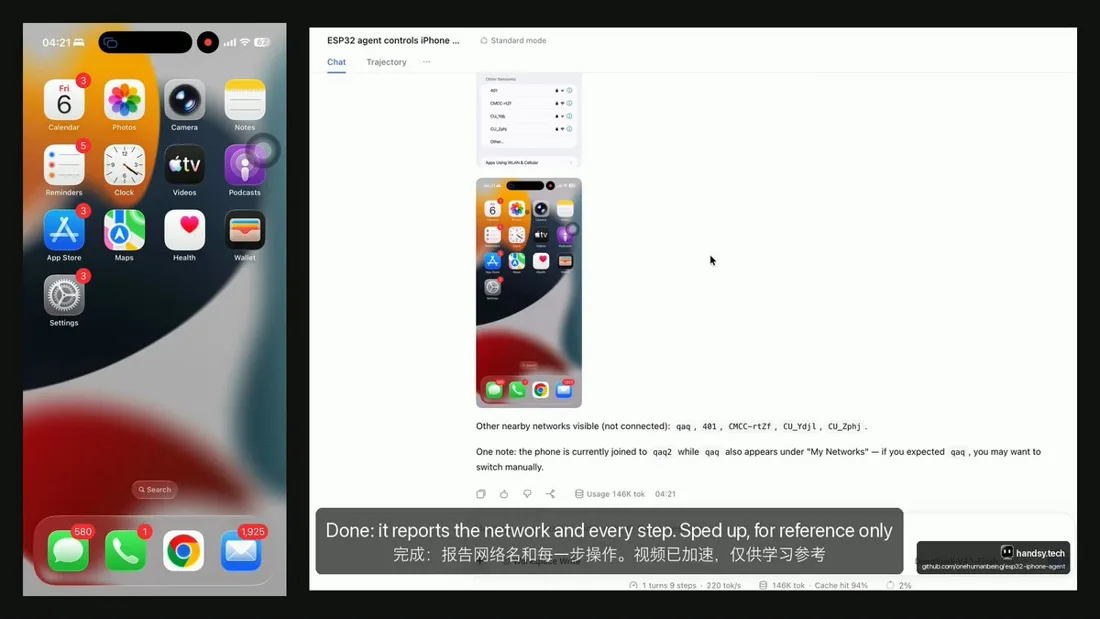
The latest firmware supports DeepSeek Harness, and it really is fast. It’s a pure hardware add-on: no Mac, no Xcode, no developer account, no jailbreak. Just a cheap ESP32 you flash and plug in. Since it never touches jailbreak-style software, getting banned is basically not a worry.
 Henry@iamhenryyuan
App Store review sucks. Still stuck. So ESP32 Agent is live on TestFlight. Right now. Plug a $7 board into your iPhone, tell your AI what to do, and watch it tap through your apps for you. No new phone. No hacks. Open source.
Show more
 Nicolas Krassas@Dinosn
onehumanbeing/esp32-iphone-agent: Let an AI model use a real iPhone with a $7 ESP32: AirPlay eyes, USB HID hands, any OpenAI-compatible vision model. No Mac, no developer account, no jailbreak.
 Seeed Studio@seeedstudio
An AI that uses a real iPhone, with a $7 board as its eyes and hands 📱 Henry Yuan's ESP32 iPhone Agent runs on our XIAO ESP32S3: the phone mirrors its screen to the board, and the board taps back as a USB mouse. No jailbreak.
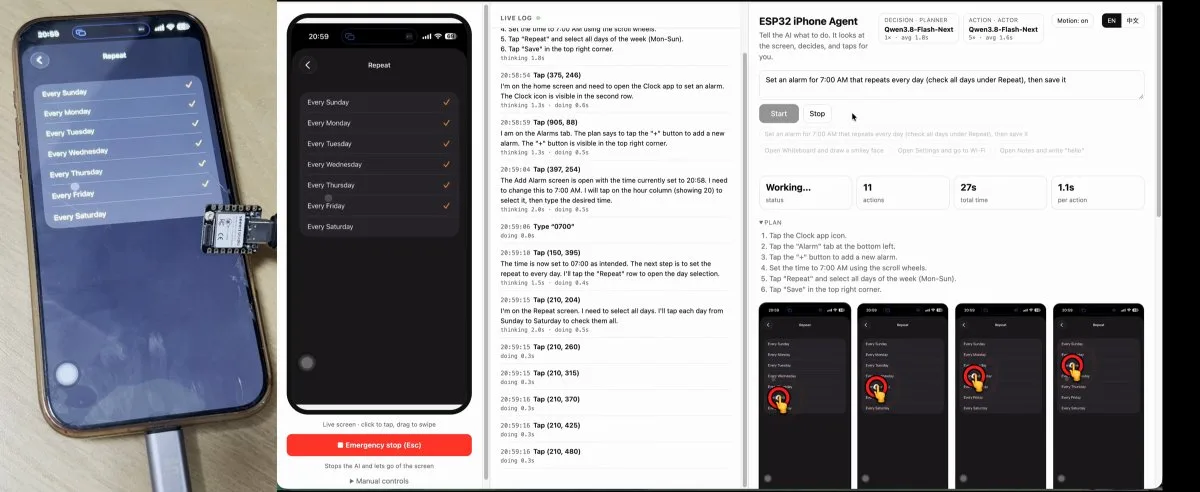
A $7 board lets an AI control an iPhone without jailbreaking it
Henry Yuan’s open-source project uses a roughly $7 board to let AI navigate an iPhone without jailbreaking it.
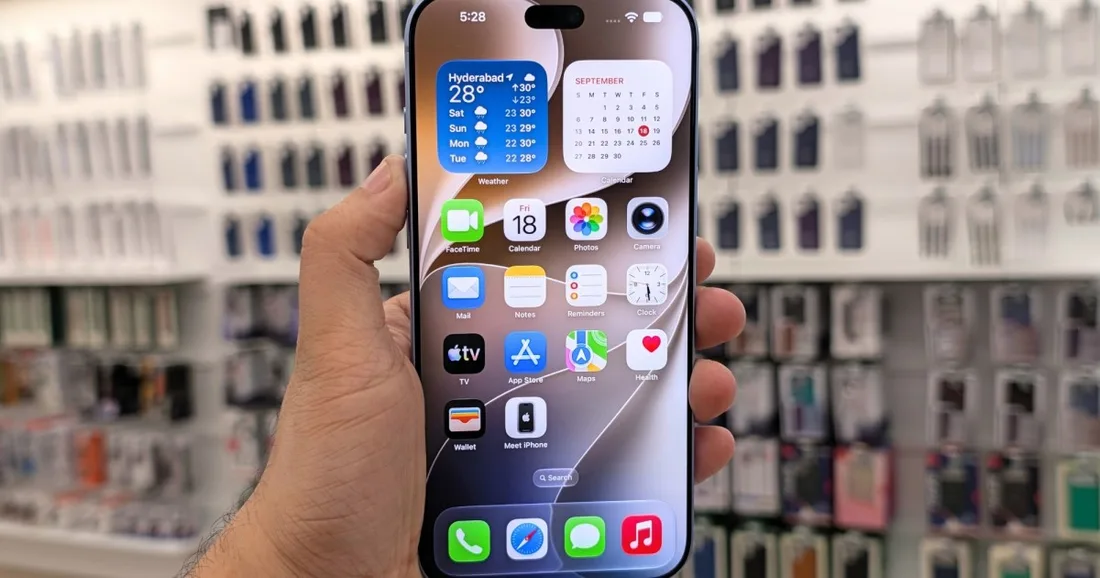 Henry@iamhenryyuan
A $7 ESP32 lets an AI agent control a stock iPhone. THAT'S ALL. … The ESP32 takes the iPhone's AirPlay screen and taps back over USB. We also built a very cute agent app that works together with the ESP32 to automate any iPhone.
Show more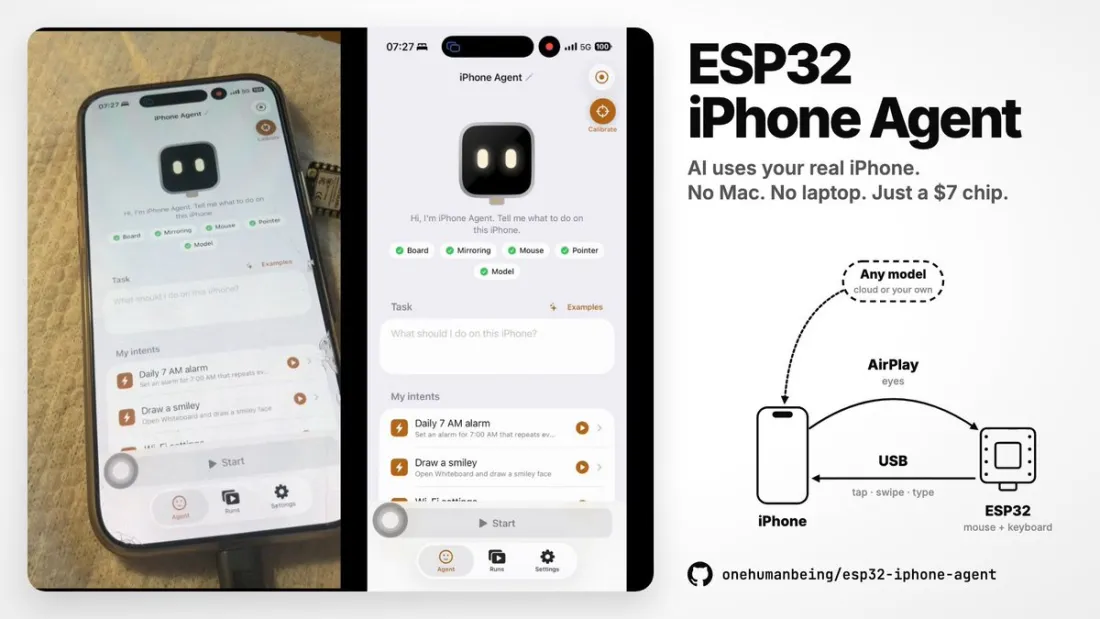
AI Controls iPhone Via ESP32
Do you want to get an AI agent to do something to an iPhone? You could try and jailbreak the device and do some heavy software hacking, or… you could grab a microcontroller off the shelf.
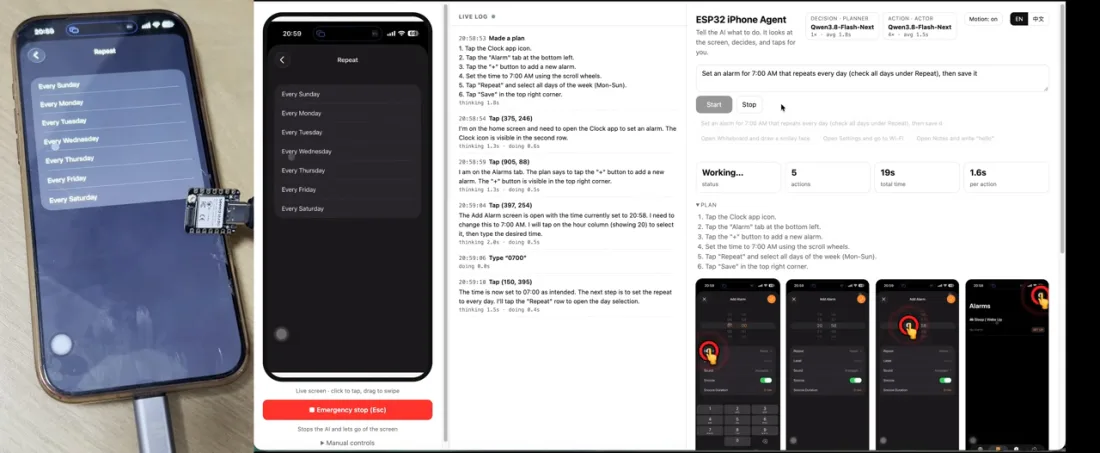
 NULL=RUN@GOROman
Smartphone Use の波が
 0xMarioNawfal@RoundtableSpace
Apple never built this, so someone hacked it with $7. esp32-iphone-agent lets an AI model use a real iPhone through a tiny ESP32 board plugged into the charging port. No jailbreak, no Xcode, no developer account. how it works: • eyes → the iPhone screen mirrors over AirPlay to your computer • hands → the ESP32 acts as a USB mouse and keyboard • brain → any OpenAI-compatible vision model plans and taps • limits → it can't see passcode or Apple Pay screens, by iOS design why it matters: → AI agents on real phones, not emulators → about $7 of hardware → open source, MIT license Your iPhone just got an AI driver, and Apple wasn't involved. Repo: https://github.com/onehumanbeing/esp32-iphone-agent
Show moreWhat is Handsy AI (ESP32 iPhone Agent)?
An open-source project that lets an AI operate a real, unmodified iPhone. A $7 XIAO ESP32S3 board receives the iPhone’s screen through AirPlay Screen Mirroring and acts as a USB mouse and keyboard. The iPhone app, or your own agent through Handsy CLI, decides each step.
Do I need a jailbreak, a Mac or a developer account?
No. The board is a plain USB mouse and keyboard plus a Screen Mirroring receiver, so iOS stays stock. You use a computer once, with Chrome or Edge, to install the board firmware in the browser.
What do I need to buy?
A standard XIAO ESP32S3 (8 MB flash, 8 MB PSRAM, about $7) and a short USB-C data cable. The iPhone is an iPhone XS or newer on iOS 18 with cellular data. Lightning iPhones also need a Lightning to USB Camera Adapter.
Which AI does it use?
The app includes a free AI service, so you can start without an API key. You can also connect your own image-capable, OpenAI-compatible service. With Handsy CLI, an agent on your computer such as Claude Code or Codex sees screenshots and acts through MCP.
Do I have to leave a computer running?
With the app, no: after the one-time firmware install, the app and the board do the task together. With the CLI, yes: your agent runs on the computer and reaches the board over Bluetooth.
What can’t it do?
The phone has to stay unlocked and in portrait. iOS does not mirror passcode entry, Apple Pay or DRM-protected video, so the AI cannot see those. On a USB-C iPhone the board takes the port, so there is no wired charging during a run.
Where do my screenshots go?
To the AI service you choose, so it can decide the next action. Run history stays on the phone, where you can replay and export it. The privacy policy lists what each service receives and keeps.
Guides
Pick the path that fits.
- Let an AI control an iPhoneThe whole route, from buying the board to watching a run finish, with the limits stated up front.
- An MCP server for a real iPhoneWhat the tool surface looks like, how the transport works, and where the edges are.
- Control an iPhone from Claude CodeOne MCP command and a small board, then a sample session.
- ESP32 board setupWhich board and cable, how to flash it, and what to check when something does not work.
- iPhone automation without jailbreakShortcuts, WebDriverAgent, Bluetooth HID, USB HID, and screen mirroring, side by side.
- Where to buy a XIAO ESP32S3The standard board the installer supports, and which stores list it. No prices.
- OpenClaw on an iPhoneThe same MCP server Claude Code uses, and the ClawHub skill that points at it.
Give your iPhone a pair of hands.
Start on your iPhone, or bring the agent you already use.
Enterprise
Need real iPhones for your agents, Bluetooth tests or a device lab of your own? Tell us what you want to run.